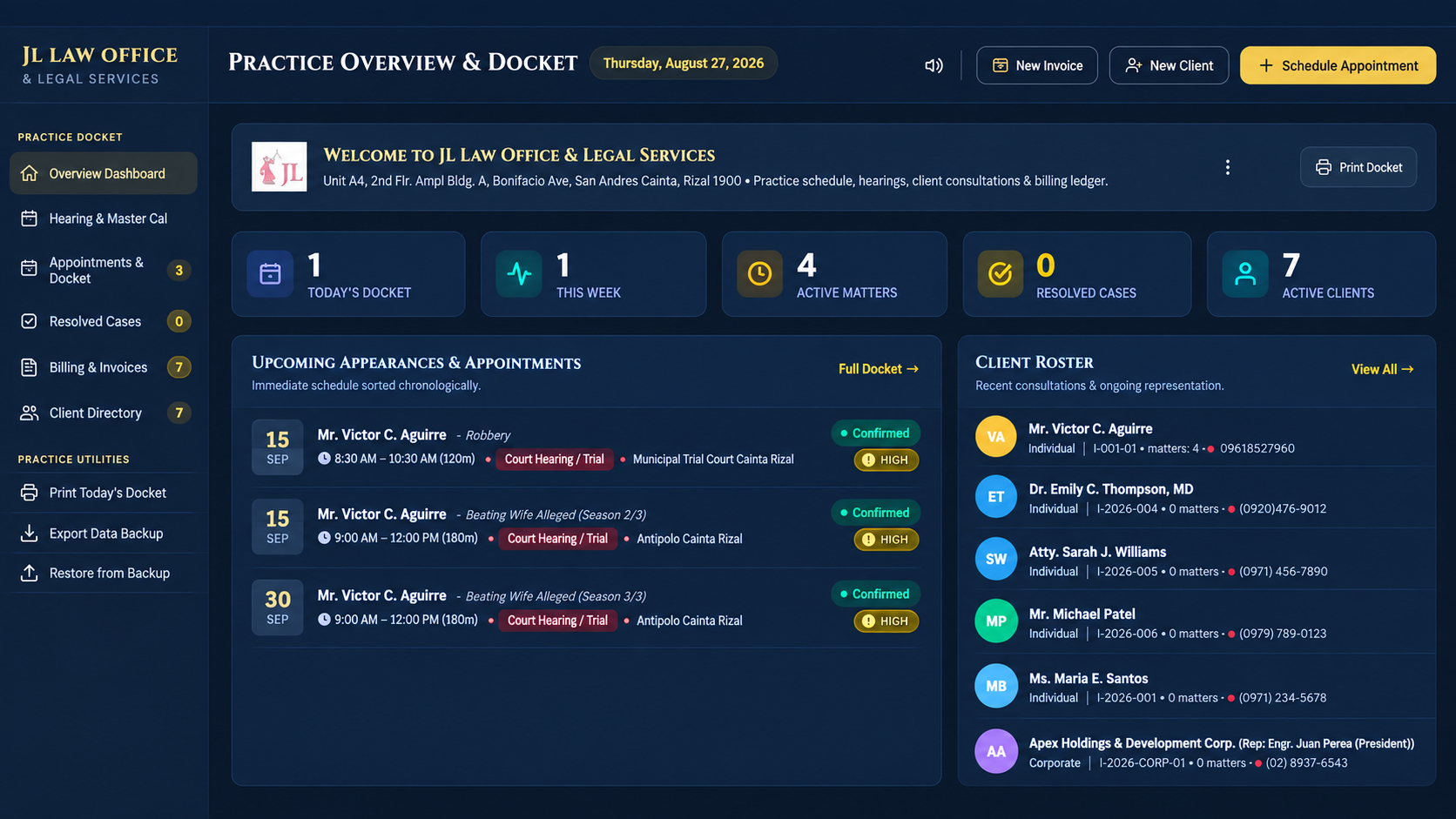
A local law-office website I created to bring the practice overview, hearing schedule, client directory, and billing into one dashboard.
ENHANCED PREVIEW · SAMPLE DATAEnlarge preview ↗Original photo ↗AI-enhanced from the original photograph. Framing and clarity improve, but small text and interface details — including an invoice badge and some roster text — were reconstructed and may differ from the original.
The project at a glance
Practice overview
Docket, weekly activity, active matters, and clients at a glance.
Day-to-day organization
Hearing schedules, appointments, case records, and a client directory.
Office administration
Billing and invoice views, a printable docket, and data backup utilities.
My contributionWebsite creation & dashboard design. The evidence here is the owner-supplied photograph and its enhanced preview; no source code or hosted copy of the application is included.
A Google Flow workflow I automated with a Chrome extension: organizing scene prompts, passing them into the creation process, and tracking the generated clips.
FLOWPASTE AI × GOOGLE FLOW · 1:00 WALKTHROUGHOpen video ↗The recording shows the extension beside Google Flow: scene prompts enter the creation field, new clips appear in the media grid, and finished videos appear in Chrome’s downloads. It demonstrates my use of the FlowPaste AI extension; I did not author Google Flow or the extension.
From prompt to output
Queue the scenes
Organize a multi-part sequence of scene prompts in the extension’s side panel.
Keep the process moving
Send prompts into Google Flow and follow each part through pending and completed states.
Collect the clips
Bring generated videos into the download workflow for the next stage of production.
My contributionWorkflow automation & creative production.
03 / WEB APPLICATIONGETPLACEID.COM
A review link, ready to print.
A tool I built and run for businesses that want Google reviews. It finds the Place ID behind a listing, turns it into a link that opens straight on the star box, and generates the QR code and counter card customers actually scan.
LIVE SITE · GETPLACEID.COMVisit the site ↗A screen capture of the live site. The QR codes on the example cards are illustrations, as the page itself states.
The project at a glance
Three ways in
Search a business by name, paste a Google Maps link, or enter a Place ID directly.
A link that lands
Opens the review box rather than a search page, and keeps working after a rebrand — the Place ID does not change when the name does.
Print-ready output
QR codes and counter cards, table tents and stickers, designed to be printed once.
My contributionFounder. I designed and built the site. It runs in the browser with no account to create: search by name uses the visitor’s own Google Places API key, kept in their browser’s local storage, and the other two methods need no key at all.